

Typed.js Elementor Widget

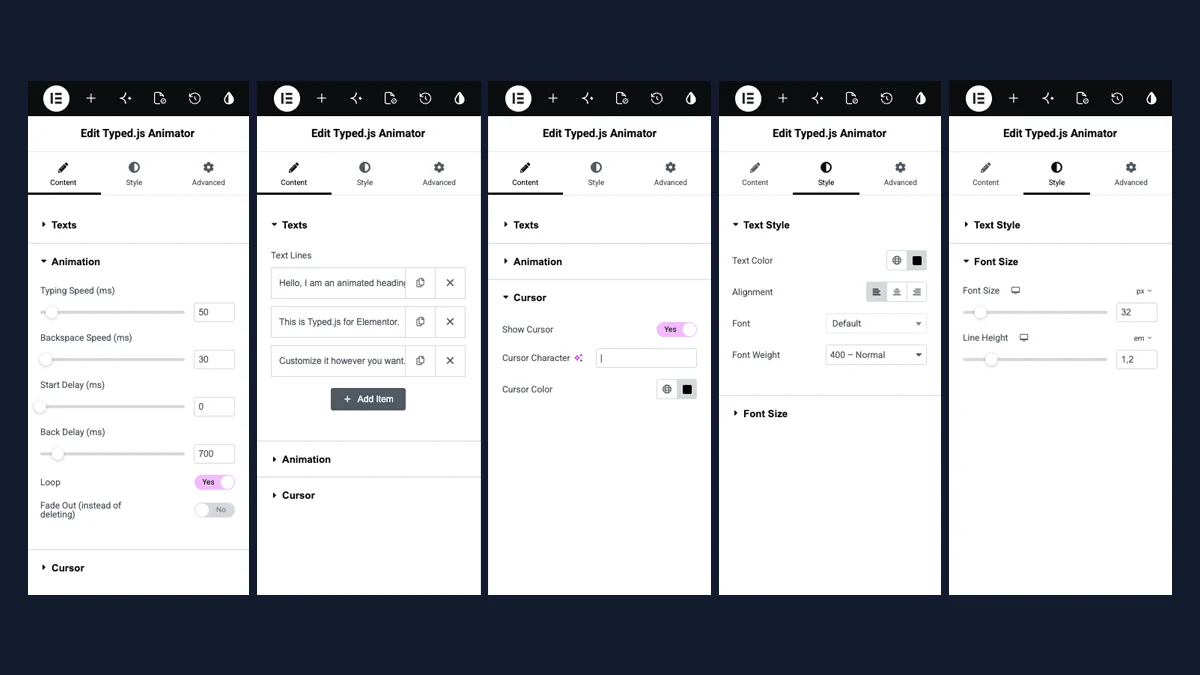
Typed.js Animator panels in Elementor: text lines, animation, cursor, and typography.

Typed.js Elementor Widget is a WordPress plugin that brings the Typed.js typewriter effect into the Elementor editor. It lets you cycle through multiple lines of text and customize the animation, cursor, and typography using the widget’s controls.
Turning a recurring setup into a reusable widget

The project grew out of using Typed.js in Elementor layouts. Repeating the same integration on each new website meant editing code even for a simple effect. I turned that setup into a native widget so I could reuse and adjust it directly in the editor.

Page builders can add and reorder text lines, adjust typing and backspacing speeds, set delays, and enable looping. Cursor appearance, colors, and typography are also configured in the Elementor panel, with font size and line height settings for desktop, tablet, and mobile.

Available in the WordPress.org plugin directory

The plugin works with Elementor Free and Pro and bundles Matt Boldt’s Typed.js library locally. My work covers the WordPress and Elementor integration, the widget controls, and initialization in the editor and on published pages.

I published the plugin in the official WordPress.org directory and made the source code available on GitHub. Version 1.0.3 was tested with WordPress 7.1.3 and Elementor 4.3.5, checking widget registration, frontend animation, and editing and saving text in the editor.

Get the plugin on WordPress.org · Explore the source on GitHub
Indaco Med

Indaco Med has centres across Italy. Its website needed to explain the method and help each visitor find their nearest centre. I handled the design and development, then built the feature that connected these two goals.

The Project

I designed the website around the brand identity and built it with WordPress and Elementor, so the client can update its content independently.

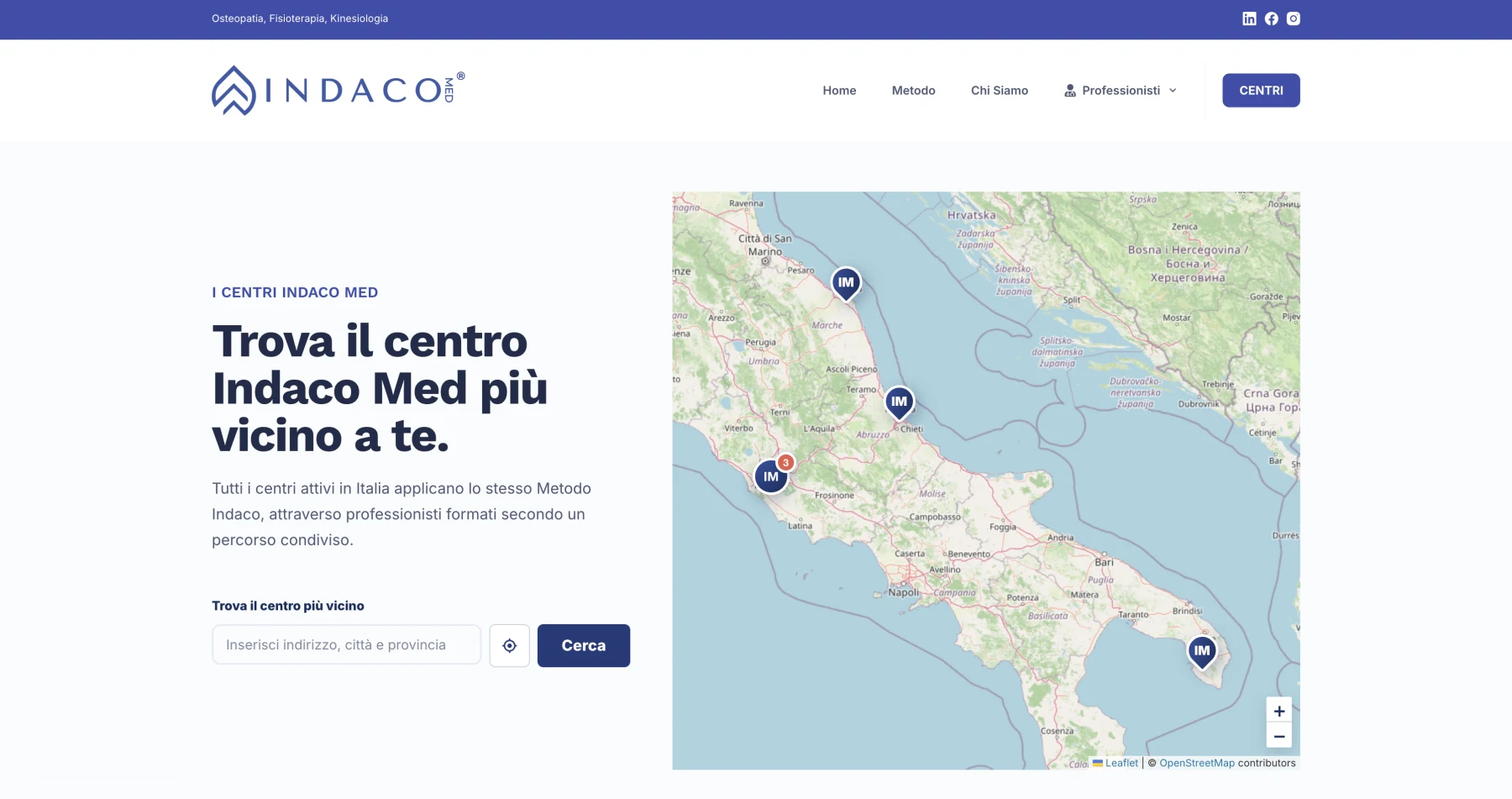
For the centre search, I developed a custom WordPress plugin: it brings together Indaco Med locations across Italy and, with the user's permission, uses their location to identify the nearest centre. The feature helps people move from discovering the method to choosing a location.

Why a custom plugin

Existing tools are a good starting point. When a project needs specific behaviour, however, I prefer to build the feature around the client's requirements.

For Indaco Med, this meant bringing the directory, geolocation and nearest-centre search into an experience consistent with the rest of the website. This is where my development experience comes into play: I choose suitable tools and build the custom features needed to deliver what the project actually requires.

The Result

Visitors can learn about the Indaco Med method, browse the centres and find the one closest to their location. The client has a website they can update and a feature built for the needs of their network.

Technologies

WordPress, Elementor, a custom PHP plugin and geolocation.